
User Selection in the Dashboard
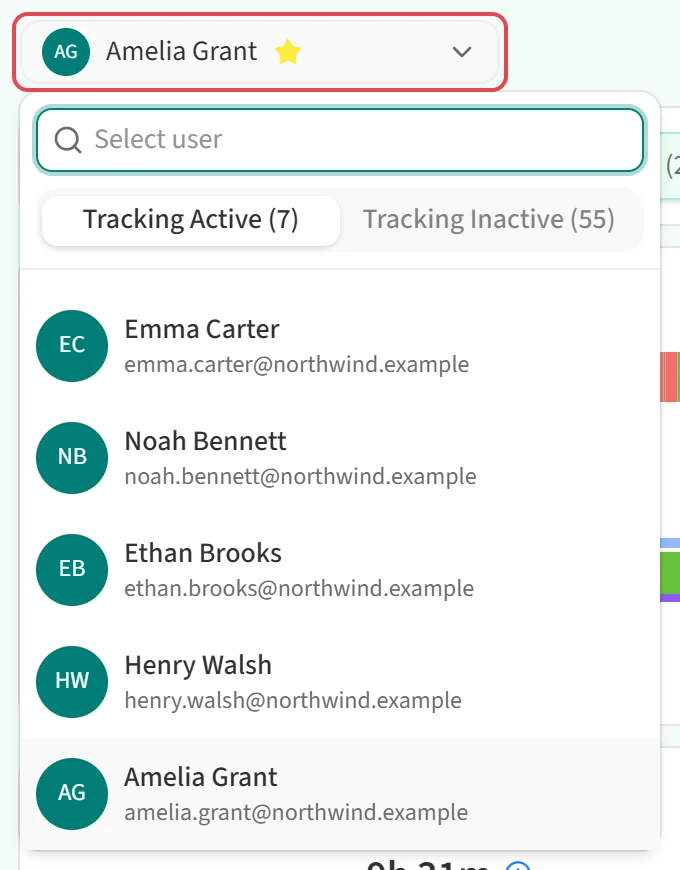
When the Staff Dashboard opens, the name of the selected employee appears in the top-left corner. To switch to someone else:
- Click the box with the employee’s name.
- Type a name in the Select user field at the top of the list to narrow it down.
- Pick one of the two tabs above the list. Tracking Active lists employees who are currently tracked, and Tracking Inactive lists employees whose tracking has been turned off. The number in each tab is the number of people in that list.
- Select the employee.
The employee’s data loads straight away for the date and view already on screen.
If you do not have permission to view other employees, the picker is hidden and the dashboard shows only your own data.