
BQ Score and Recalculation
The BQ score is the score Berqun uses to measure employee productivity. In the Office Dashboard’s employee table, each employee’s BQ score is shown with a row of stars under it.
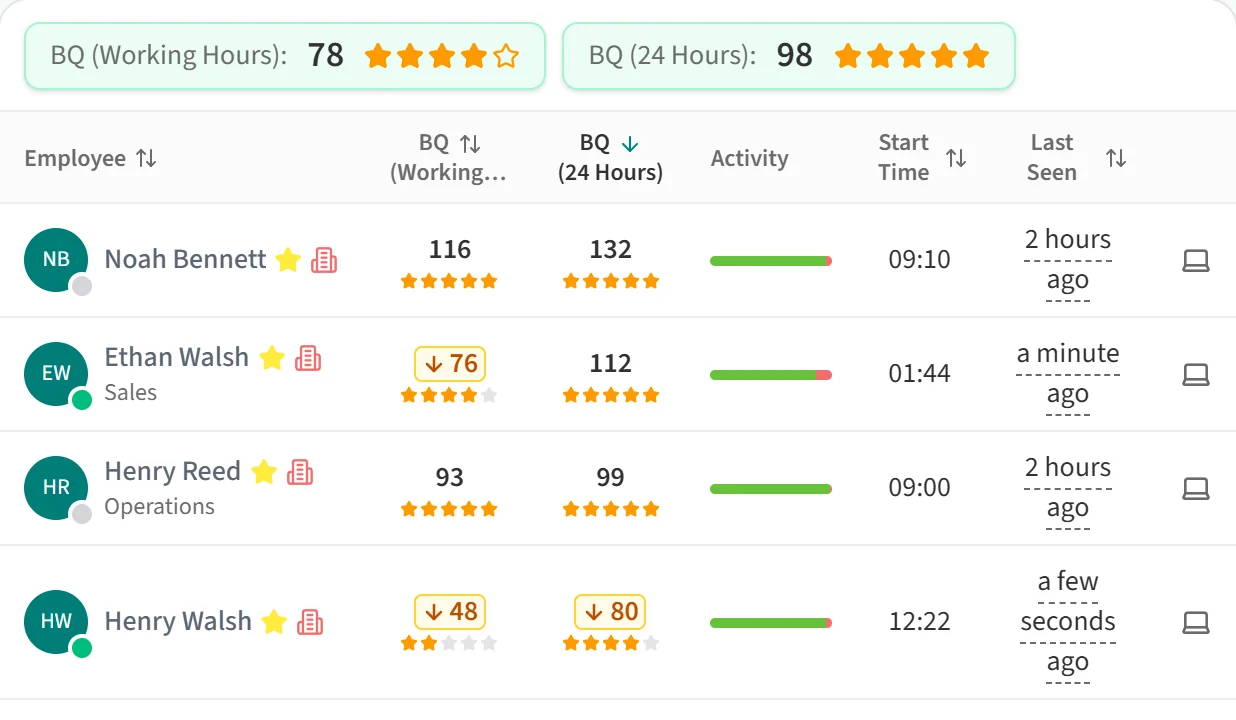
Depending on your company settings, the table has one BQ column or two:
- BQ (Working Hours): the score based on activity within working hours.
- BQ (24 Hours): the score based on activity over the full day.
The boxes above the table show the average of the same scores for the selected team and period. The average covers every employee in scope, not just the rows on the current page.
Recalculating the scores
The Last Calculated button on the right of the toolbar shows the time BQ scores were last calculated for the day you are viewing.

Click it to get the latest scores. In the Day view, Berqun starts a new calculation for the selected day. While it runs, the button reads “Calculating BQ Point” and shows a progress bar; when it finishes, the dashboard reloads with the new scores. In the Week, Month and Year views the button only refreshes the data.