
Team-Based View
Use the team picker on the left of the toolbar to narrow the Office Dashboard to particular teams. With no team selected, the dashboard shows every team you have permission to see.
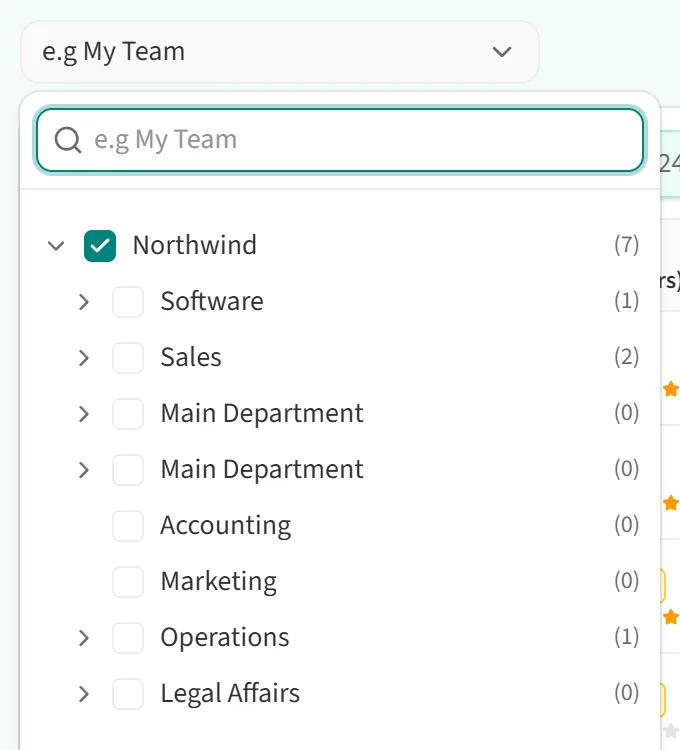
- Click the field that reads “e.g My Team”.
- Your teams are listed as a tree that follows your company’s team structure. Click the arrow to the left of a team name to see its sub-teams. The number next to each team is how many people it has.
- To find a team quickly, type its name in the search box at the top.
- Click the teams you want to see. You can select more than one.
The line under the tree shows how many teams you have selected. Click Clear to remove the selection and go back to all teams.
Once you pick teams, the employee table, the average BQ boxes above it and the activity list on the right are all calculated for those teams only. The team picker appears only if your company has teams defined and your role is allowed to use it.