
How to Edit a Work Schedule?
To change an existing work schedule, first open Calendar / Shift List under Work Calendar / Shifts in the left menu.
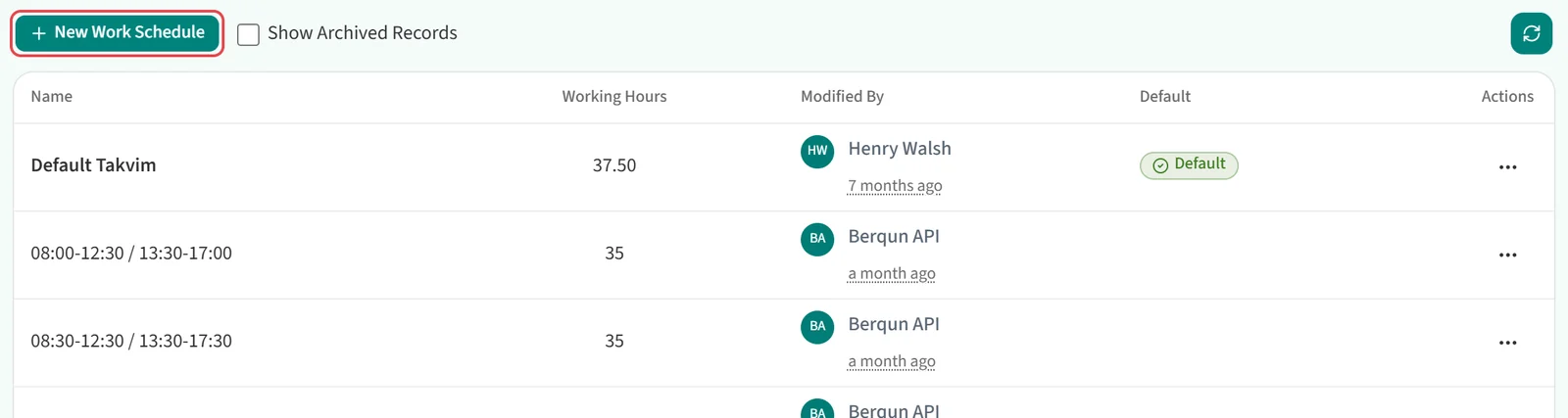
On the row of the schedule you want to change, click … and choose Edit.

The schedule opens read-only on its detail page, which has three tabs:
- Work Detail: the schedule name, BQ Calculation Policy, Workdays and Days Off.
- Team / Staff Assignment: who uses the schedule, and for which dates.
- Public Holiday: the public holiday list linked to the schedule.
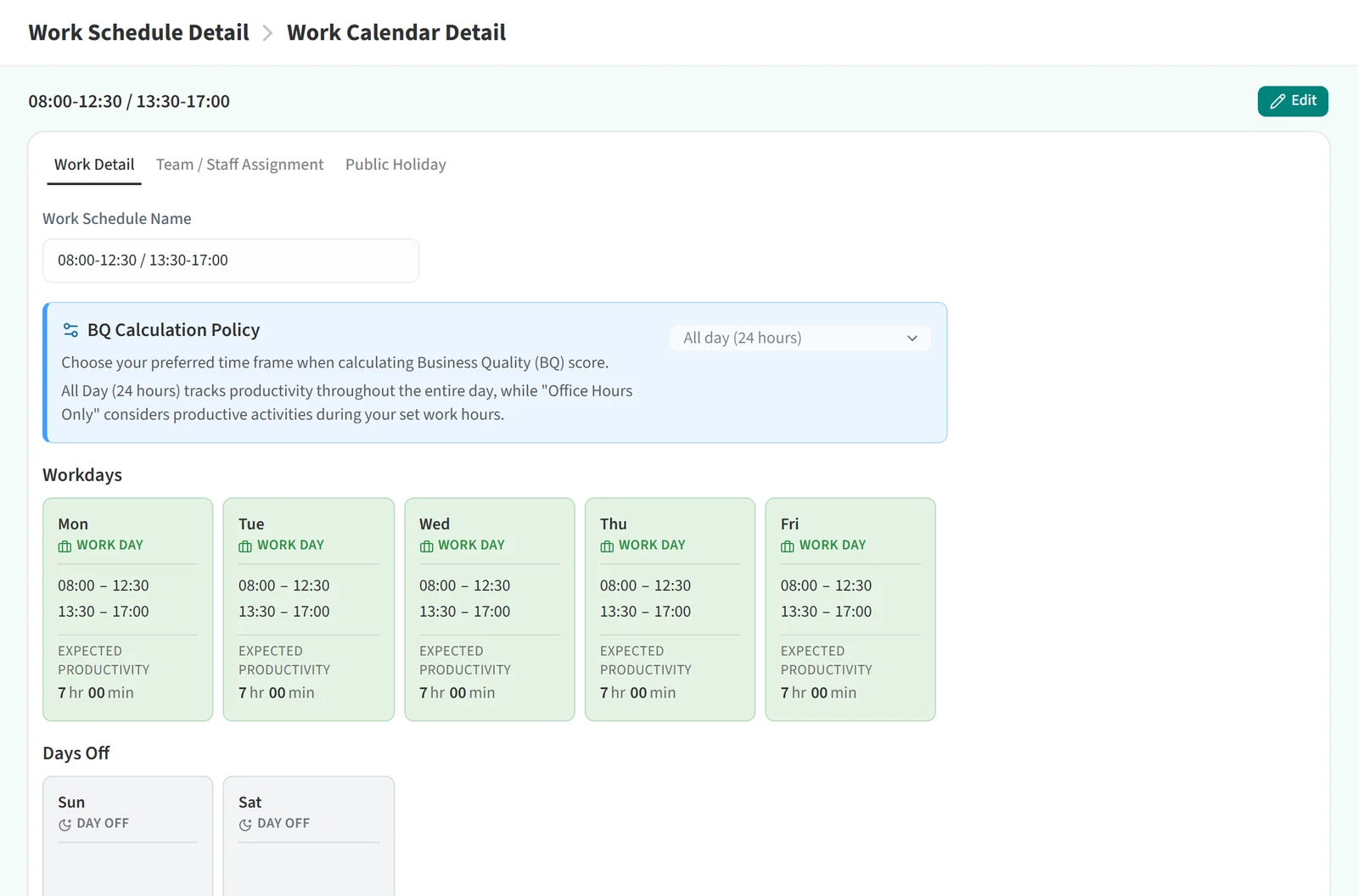
To change something on the Work Detail or Public Holiday tab, click Edit at the top right. While you edit, Cancel and Save take its place. Click Save to keep your changes. You cannot switch tabs until you save or cancel.
The Team / Staff Assignment tab has no Edit button. You add and remove assignments straight from the list on that tab.
The name of the default work schedule cannot be changed. It also takes no manual assignments: every person and team without a specific schedule assignment uses the default schedule automatically.
For how to set the hours on the day cards, see “Things to Watch When Editing Workdays”. To remove a schedule, see “How to Delete a Work Schedule?”.